> ## Documentation Index
> Fetch the complete documentation index at: https://docs.timberlogs.dev/llms.txt
> Use this file to discover all available pages before exploring further.
# Overview
> Structured logging made simple. Send logs from any application, search with ease, and track user flows.
**Structured logging made simple.**
Timberlogs is a modern logging service built for developers who want powerful log management without the complexity. Send logs from any application using our REST API or official SDKs, search and filter with ease, and track user flows across your system.
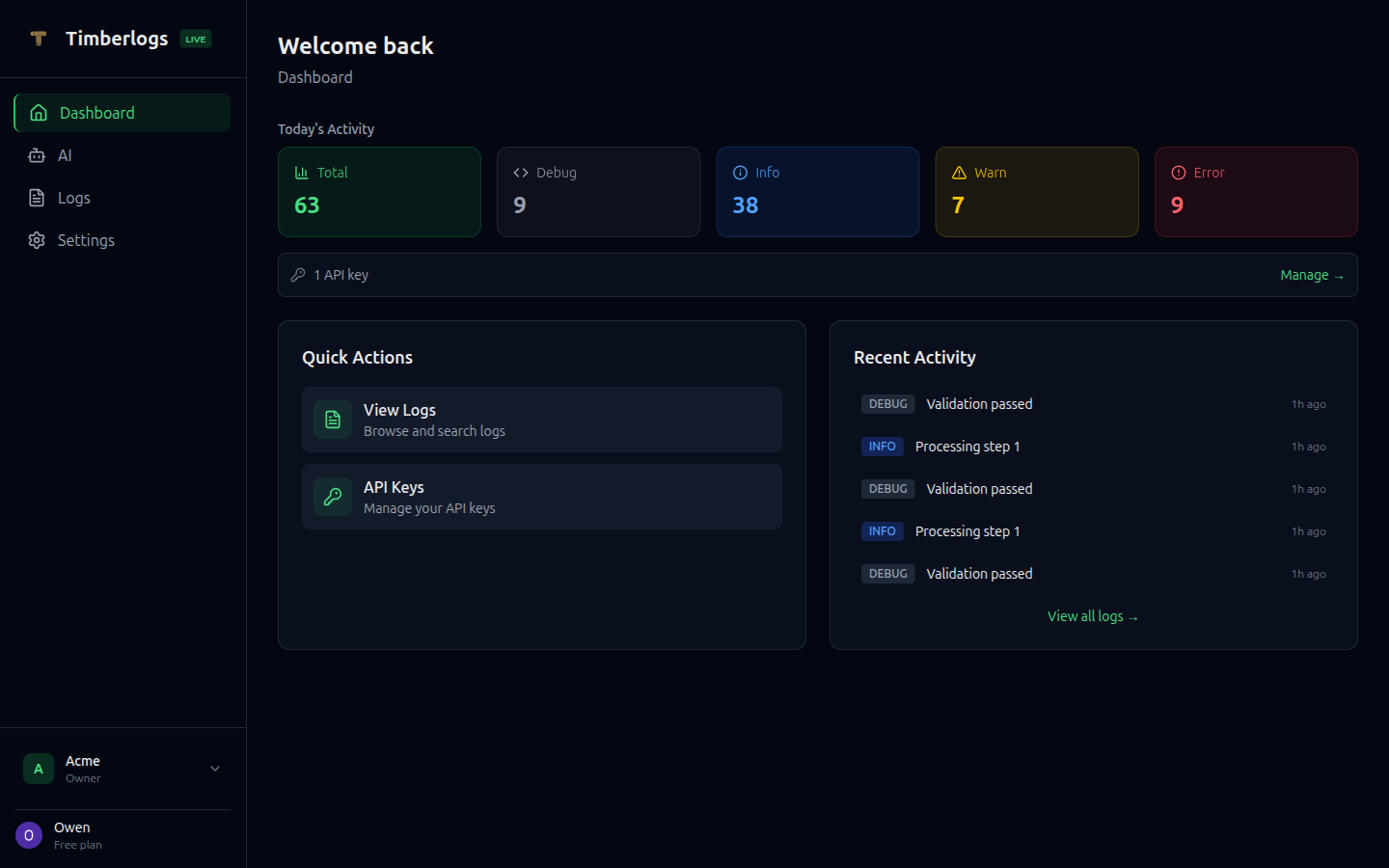 ## Features
* **[REST API](/api-reference/ingestion)** - Send logs from any language or platform via simple HTTP POST
* **[TypeScript SDK](/sdks/typescript)** - Drop-in SDK with automatic batching and retry
* **[Python SDK](/sdks/python)** - Full-featured SDK with sync and async support
* **[CLI](/cli/overview)** - Query logs, inspect flows, and view stats from your terminal
* **[Powerful Search](/api-reference/search)** - Full-text search with support for phrases, exclusions, and OR queries
* **[Flow Tracking](/concepts/flows)** - Link related logs together to trace user journeys
* **[Real-time Dashboard](/dashboard/overview)** - Beautiful UI to view, search, and filter logs
* **Cloudflare-powered** - Built on Cloudflare Workers for global low-latency ingestion
## Quick Example
### Using the REST API
Send logs from any language with a simple HTTP request:
```bash theme={null}
curl -X POST https://timberlogs-ingest.enaboapps.workers.dev/v1/logs \
-H "Authorization: Bearer tb_live_xxxxx" \
-H "Content-Type: application/json" \
-d '{
"logs": [{
"level": "info",
"message": "User signed in",
"source": "my-app",
"environment": "production",
"data": { "userId": "user_123" }
}]
}'
```
### Using the TypeScript SDK
```typescript theme={null}
import { createTimberlogs } from 'timberlogs-client'
const timber = createTimberlogs({
source: 'my-app',
environment: 'production',
apiKey: 'tb_live_xxxxx',
})
timber.info('User signed in', { userId: 'user_123' })
timber.error('Payment failed', new Error('Card declined'))
```
### Using the Python SDK
```python theme={null}
from timberlogs import create_timberlogs
timber = create_timberlogs(
source="my-app",
environment="production",
api_key="tb_live_xxxxx",
)
timber.info("User signed in", {"userId": "user_123"})
timber.error("Payment failed", Exception("Card declined"))
```
### Using the CLI
```bash theme={null}
npm install -g timberlogs-cli
timberlogs login
timberlogs logs --level error --from 1h
```
## Get Started
Ready to add structured logging to your app?
1. [Getting Started guide](/getting-started) - Get up and running in 5 minutes
2. [TypeScript SDK](/sdks/typescript) - For Node.js/TypeScript projects
3. [Python SDK](/sdks/python) - For Python projects
4. [CLI](/cli/overview) - Query and search logs from your terminal
5. [REST API Reference](/api-reference/ingestion) - Send logs from any language
Ready to start logging? [Sign up free](https://app.timberlogs.dev) — send your first log in under 5 minutes.
## Features
* **[REST API](/api-reference/ingestion)** - Send logs from any language or platform via simple HTTP POST
* **[TypeScript SDK](/sdks/typescript)** - Drop-in SDK with automatic batching and retry
* **[Python SDK](/sdks/python)** - Full-featured SDK with sync and async support
* **[CLI](/cli/overview)** - Query logs, inspect flows, and view stats from your terminal
* **[Powerful Search](/api-reference/search)** - Full-text search with support for phrases, exclusions, and OR queries
* **[Flow Tracking](/concepts/flows)** - Link related logs together to trace user journeys
* **[Real-time Dashboard](/dashboard/overview)** - Beautiful UI to view, search, and filter logs
* **Cloudflare-powered** - Built on Cloudflare Workers for global low-latency ingestion
## Quick Example
### Using the REST API
Send logs from any language with a simple HTTP request:
```bash theme={null}
curl -X POST https://timberlogs-ingest.enaboapps.workers.dev/v1/logs \
-H "Authorization: Bearer tb_live_xxxxx" \
-H "Content-Type: application/json" \
-d '{
"logs": [{
"level": "info",
"message": "User signed in",
"source": "my-app",
"environment": "production",
"data": { "userId": "user_123" }
}]
}'
```
### Using the TypeScript SDK
```typescript theme={null}
import { createTimberlogs } from 'timberlogs-client'
const timber = createTimberlogs({
source: 'my-app',
environment: 'production',
apiKey: 'tb_live_xxxxx',
})
timber.info('User signed in', { userId: 'user_123' })
timber.error('Payment failed', new Error('Card declined'))
```
### Using the Python SDK
```python theme={null}
from timberlogs import create_timberlogs
timber = create_timberlogs(
source="my-app",
environment="production",
api_key="tb_live_xxxxx",
)
timber.info("User signed in", {"userId": "user_123"})
timber.error("Payment failed", Exception("Card declined"))
```
### Using the CLI
```bash theme={null}
npm install -g timberlogs-cli
timberlogs login
timberlogs logs --level error --from 1h
```
## Get Started
Ready to add structured logging to your app?
1. [Getting Started guide](/getting-started) - Get up and running in 5 minutes
2. [TypeScript SDK](/sdks/typescript) - For Node.js/TypeScript projects
3. [Python SDK](/sdks/python) - For Python projects
4. [CLI](/cli/overview) - Query and search logs from your terminal
5. [REST API Reference](/api-reference/ingestion) - Send logs from any language
Ready to start logging? [Sign up free](https://app.timberlogs.dev) — send your first log in under 5 minutes.