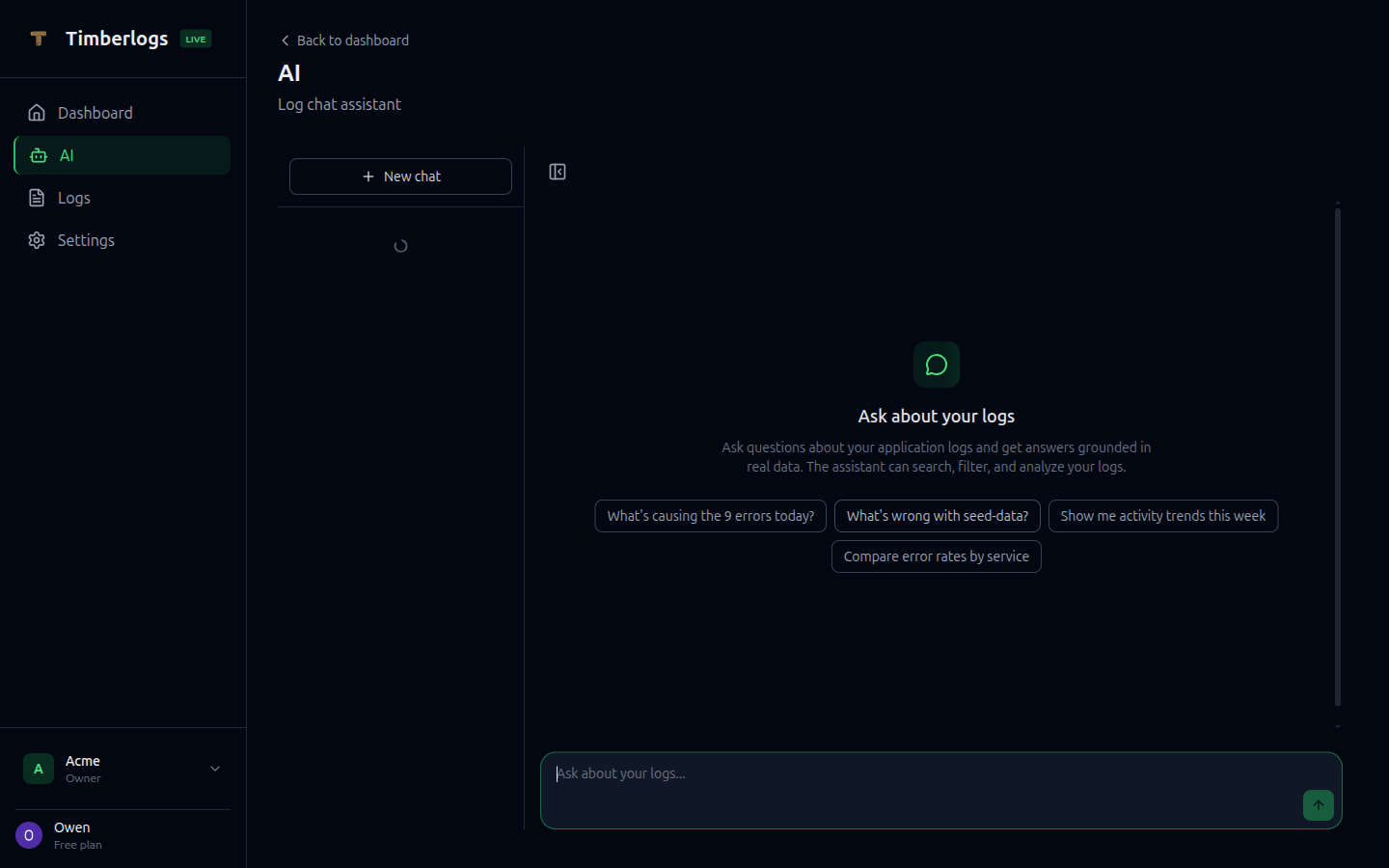
Getting Started
Navigate to the AI page from the sidebar. You can type a question or click one of the suggested prompts, which are generated from your live data.What You Can Ask
Error Investigation
- “What errors happened today?”
- “What’s causing the 500 errors in my API?”
- “Show me the most common errors this week”
Trends and Patterns
- “Are errors increasing?”
- “Compare error rates by service”
- “Show me activity trends this week”
Log Search
- “Find logs mentioning timeout in production”
- “Show me the latest error logs from auth-service”
Flow Tracing
- “Trace the request with flow ID abc-123”
- “What went wrong in this flow?”
Infrastructure
- “What services are producing the most logs?”
- “What’s my retention policy?”
- “List my API keys”
Available Tools
The AI assistant has access to 17 tools that connect to your live log data:| Tool | Description |
|---|---|
| search_logs | Search and filter logs by level, source, environment, and time range |
| search_logs_fulltext | Full-text search with phrases, boolean operators, and exclusions |
| count_logs | Count logs matching specific filters |
| get_log_detail | Drill into a specific log entry with full stack traces and metadata |
| get_aggregated_errors | Top errors grouped by message with counts |
| get_metrics | Log volume broken down by level with daily comparison |
| get_stats_over_time | Log statistics grouped by hour or day for trend analysis |
| get_stats_by_source | Log statistics grouped by source/service |
| get_flow_logs | Trace multi-step requests by flow ID |
| list_sources | List available log sources |
| list_alert_rules | View configured alert rules |
| get_alert_history | Recent alert trigger history |
| preview_alert | Check what an alert rule would match right now |
| get_org_info | Organization details, plan, and usage limits |
| list_api_keys | API keys with usage info |
| list_members | Team members and roles |
| list_alert_destinations | Alert notification destinations |
Smart Suggestions
The assistant generates context-aware suggestions based on your live data:- If you have errors today, it suggests investigating them
- If error rates are trending up, it highlights the change
- Suggestions adapt to your specific sources and error patterns
Plan Requirements
| Plan | Access |
|---|---|
| Free | View-only (upsell prompt on interaction) |
| Pro | Full access |
| Enterprise | Full access |